
Bridge Watchkeeping // PSC & SIRE 2.0 Inspections
TOP 10 ECDIS Questions by PSC Inspectors: How to Pass Inspections in 2026
The era when navigators could merely acknowledge alarms and display a green update checkmark is gone. Modern Port State Control (PSC) inspectors and vetting auditors (particularly under the SIRE 2.0 inspection framework) focus on human factors, evaluating whether bridge watchkeepers genuinely understand safety depth parameters, lines plan limits, and company SMS policies.

1. Prove That Your ENCs Are Corrected Up to the Latest Week. How Do You Verify This?
The inspector checks beyond the update timestamp displayed in the chart manager, verifying the direct correlation between digital terminal logs and physical bridge records.
Open the Update Log directly on the ECDIS unit and simultaneously produce the physical NP133C (ENC Maintenance Record) or its company-approved electronic equivalent.
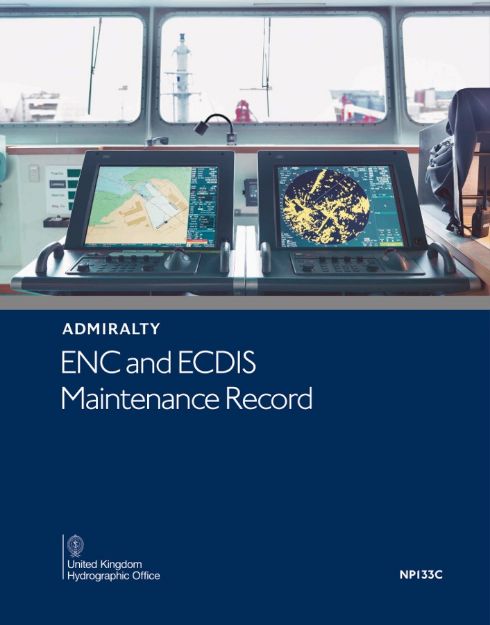
An inspector may select a random ENC cell along your passage plan and ask for its update history on screen. The cumulative Notice to Mariners (NtoM) edition numbers in the terminal log must match the written entries in NP133C without discrepancy. Review correction procedures in our guide on Nautical Publications Every Navigator Must Know.
2. How Did You Calculate the Safety Contour and Safety Depth for This Voyage?
A clear distinction between “Safety Depth” (point soundings) and “Safety Contour” (navigable water boundary), referenced directly to the company Safety Management System (SMS).
Demonstrate the voyage calculation directly in the approved Passage Plan documentation:
Safety Contour: The ECDIS defaults to the next deeper available depth contour on the vector chart. If the calculated requirement is 12.2 m and the ENC only contains 10 m and 20 m contours, the system automatically selects and bolds the 20 m contour. If an inspector notices a calculated Safety Contour of 15 m while the ECDIS is set to 10 m, a major deficiency will be issued. Evaluate minimum under-keel margins using our UKC Calculator Online.
3. What Does the CATZOC Category Signify in This Leg, and How Does It Affect Your UKC?
Whether navigators recognize that electronic hydrographic surveys contain inherent depth and positional inaccuracies.
Enable the CATZOC (Category Zone of Confidence) display layer. Pointing out the symbol (e.g., 4 stars — Category B), state: “Bathymetric depth accuracy in this surveyed zone is ±(1.0 m + 2% of charted depth). I factored this survey inaccuracy allowance into our net Under-Keel Clearance calculation as mandated by company policy.”

4. Where Can I View Temporary (T) and Preliminary (P) Notices on Your Route?
Proficiency with the AIO (Admiralty Information Overlay) service or documented procedures for Manual Chart Corrections.
Activate the AIO overlay on screen. If your specific ECDIS model does not support AIO, present the Manual Updates layer (orange correction symbols) plotted by hand using weekly Notice to Mariners bulletins.
Professional Seamanship Tip: Not all national hydrographic offices encode T&P notices into AIO (e.g., Japan, the US, and Australia issue notices via national ENC cells). Keeping the official UKHO AIO Compatibility List available demonstrates thorough preparation.
5. Show Me the Route Check Report. How Do You Manage Active Alarms?
Verification that watchstanders do not blindly acknowledge alarm queues or lay tracks across shallow shoals or restricted zones.
Open the Route Check Table for the active voyage plan, scroll through the alarm log, and explain each entry: “This alarm marks a Traffic Separation Scheme (TSS) crossing angle at 90 degrees. This hazard notice denotes an isolated shoal marker situated 1.5 miles outside our designated Cross Track Distance (XTD) corridor.”
Fatal Audit Finding: An unmitigated “Safety Contour Crossed” alarm appearing without documented risk controls in the passage plan will result in failure of the audit.
6. How Is Your Look-Ahead (Anti-Grounding Cone) Configured?
Whether safety guard vectors match the vessel’s speed, maneuverability, and officer reaction time.
“Per our company SMS bridge guidelines, the forward detection vector is set to 15 minutes in open ocean and 6 minutes in confined pilotage waters. Cone width is aligned with our channel corridor limit (XTD) or configured to a 45-degree sector.” The cone must provide sufficient advance warning for evasive action, as detailed in Master Standing Orders.
7. What Actions Will You Take if This Primary ECDIS Terminal Fails?
Knowledge of statutory backup arrangements under SOLAS Chapter V, Regulation 19.
“Our bridge operates under an approved Dual ECDIS configuration. Should the Master terminal fail, the secondary unit assumes master control automatically or via manual toggle, preserving active route waypoints. Under a total blackout, a dedicated Uninterruptible Power Supply (UPS) powers the unit for at least 45 minutes until emergency generators restore power.”
8. Demonstrate Your SCAMIN Display Settings. Why Is This Function Critical?
Understanding cartographic generalization and the risk of de-cluttering isolated navigational hazards when zooming out.
Navigate to display preferences and demonstrate the state of the SCAMIN (Scale Minimum) filter. Explain: “SCAMIN reduces screen clutter on smaller scales, but during passage planning and route checking I verify every leg on the chart’s native Compilation Scale to ensure critical isolated dangers remain visible.”
9. How Do You Protect the System from Malware When Transferring Chart Updates?
Compliance with maritime cyber risk management under IMO Resolution MSC.428(98).
“ENC updates are transferred exclusively via a Dedicated USB Drive registered in the ship’s inventory. Prior to interfacing with ECDIS, the drive is scanned using updated antivirus software on an isolated terminal. Personal USB drives are strictly barred from bridge equipment.” Review protocols in our overview of OCIMF Cyber Security Onboard Ships.
10. Which Edition of the IHO Presentation Library Is Installed on Your System?
Compliance with current International Hydrographic Organization (IHO) display standards.
Open the “About ECDIS” or “System Information” menu and point to the installed version numbers. Commercial units must operate with IHO S-52 Presentation Library Edition 4.0 (or later) to ensure standardized symbols and alarm behaviors. Navigators must locate this screen without hesitation. Handover checks should be verified using our 3rd Officer Handover Checklist.
Frequently Asked Questions on ECDIS Inspections (FAQ)